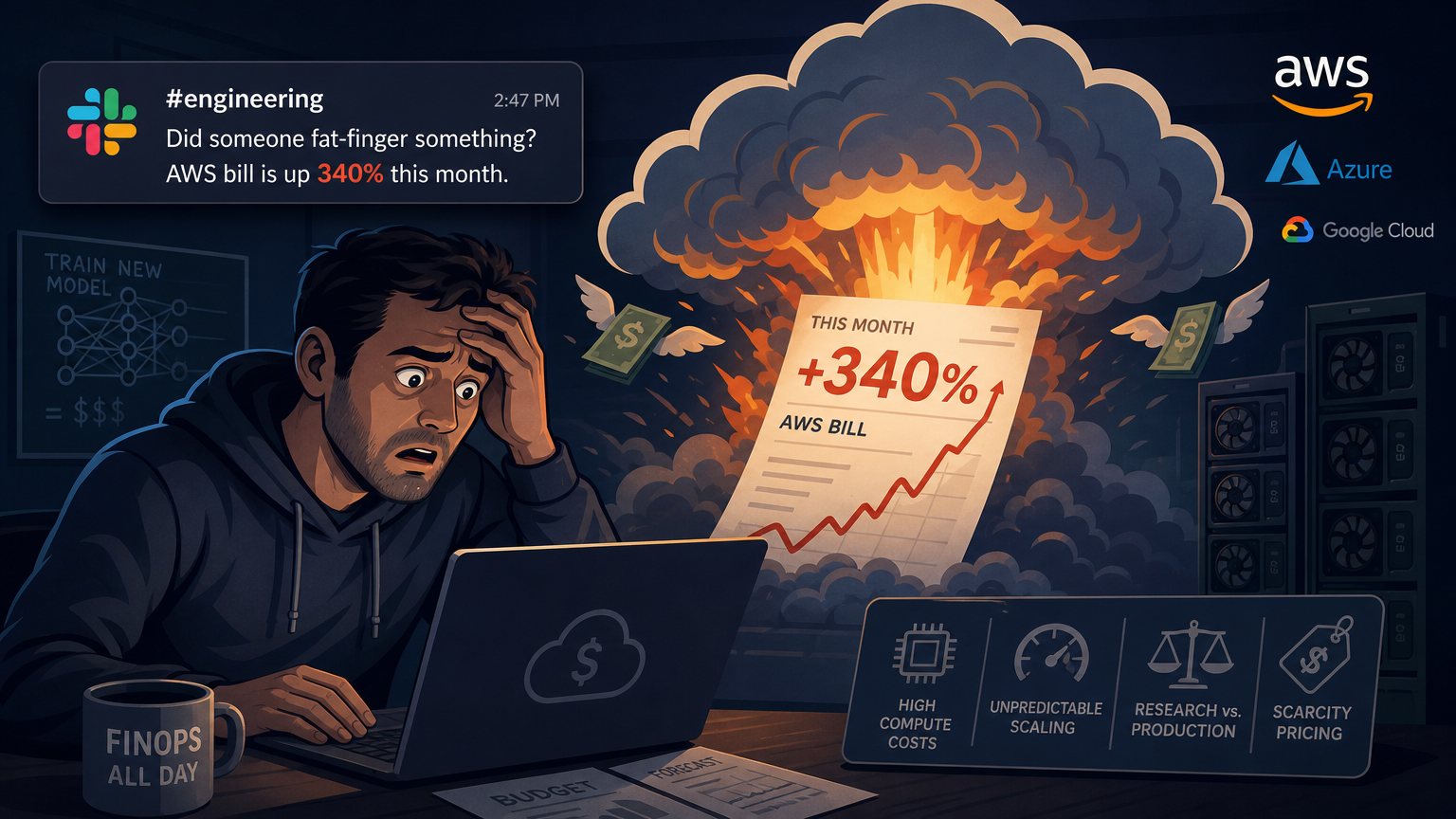
A large model training run can change a cloud budget in a few days. Production inference adds a different problem: a small cost per request becomes a large recurring expense when traffic reaches millions of requests a day.
FinOps, the practice of managing cloud spending across engineering, finance, and business teams, needs to account for both. Rightsizing instances still helps, but AI workloads also require decisions about model size, GPU availability, experiments, and the cost of serving each result.
The aim is to make those decisions before the monthly bill arrives, while leaving researchers enough room to test ideas.
Where AI costs come from
Large training runs show how expensive compute can become. Estimates put GPT-3 training at $4.6 million and GPT-4 training above $100 million. Those figures cover training, rather than the ongoing expense of serving inference requests.
Most businesses aren't training models at that scale. Even so, AI can change the shape of their infrastructure spending. A cloud budget of $200,000 a month can become a bill above $2 million when GPU workloads expand without matching controls.
Several characteristics make that spending difficult to manage:
- Concentrated compute demand. Large training jobs can use hundreds of GPUs simultaneously. A single experiment can consume a substantial budget before anyone reviews the bill.
- Uneven demand. Training and evaluation jobs arrive in bursts. An urgent model problem can lead to an unplanned training run.
- Different research and production needs. Researchers need flexibility to experiment. Production teams and finance need more predictable spending.
- GPU availability. Scarcity of hardware such as H100s can limit purchasing options and give providers more pricing power.
These differences call for separate controls for training, experimentation, and production inference. Treating all three as one pool of compute hides the decisions that drive the bill.
Match GPU purchasing to the workload
Use spot capacity where interruptions are manageable
Spot instances can offer GPU discounts of 70% to 90%, but the provider can reclaim them. Without a recovery plan, an interruption can waste a long training run, potentially including 17 hours of compute.
Spot capacity is a reasonable fit for:
- Training jobs with checkpointing, which saves progress every set number of minutes.
- Batch inference that can tolerate interruptions.
- Development and experimentation workloads.
- Data processing pipelines with retry logic.
It's a poor fit for real-time production inference that must remain available, training without checkpoints, or any workload whose deadline can't tolerate an interruption.
A hybrid approach can keep much of the saving while reducing completion risk. Run the bulk of training on spot instances with frequent checkpoints, and keep reserved capacity available to finish the job if spot supply disappears. The discount only helps if the workload can recover without repeatedly losing expensive progress.
Commit to the stable portion of demand
Reserved instances and savings plans can offer discounts of 30% to 50% in exchange for one-year or three-year commitments. The tradeoff is reduced flexibility.
AI workloads can change during that commitment. A different model architecture may need another GPU type. A research project may end. A change in business strategy may leave capacity unused.
Baseline production inference is usually a better candidate for a commitment than experimental training. Reserve against the demand that is reasonably stable, and use on-demand or spot capacity for the less predictable portion. A large discount on unused resources is still an expense.
Negotiate more than the headline discount
Annual spending above $500,000 can provide a basis for enterprise pricing discussions. Providers may offer private pricing agreements and custom terms that aren't listed on their public pricing pages.
Useful terms to discuss include:
- Volume discounts. A commitment to spend $X million over Y months in return for a Z% discount.
- Flexible credits. Credits that apply across multiple GPU types and services.
- Burst capacity guarantees. Paid access to additional GPUs when demand rises.
- Mixed commitment terms. Shorter commitments with smaller discounts where a three-year agreement creates too much risk.
Competing bids from AWS, Azure, and GCP can strengthen those discussions. Price matters, but so do the ability to change hardware and access extra capacity during a launch. A contract should be evaluated against the workloads expected to use it.
Make spending visible while jobs are running
Billing reports that arrive days or weeks after usage are too late to control a costly experiment. Teams need workload-level estimates and alerts while there is still time to stop or change the work.
Track four useful cost measures
Cost per training run. Each experiment should have an estimated cost before it starts and an actual cost afterward. An estimate such as $847 for a 14-hour run gives a researcher a concrete basis for deciding whether a hyperparameter search needs all 50 variations.
Cost per inference request. At $0.003 per API call, 10 million requests a day cost $30,000 daily. This metric connects serving decisions directly to operating expense and makes small improvements easier to evaluate.
Idle resource costs. A GPU running at 10% utilization deserves attention. Idle development environments and oversized allocations can consume money without producing more useful work.
Cost by team, project, and experiment. Allocation makes spending understandable to the people who can change it. A total cloud bill doesn't show which model, experiment, or service caused an increase.
Choose reporting tools around those needs
Cloud-native options include AWS Cost Explorer, Google Cloud Cost Management, and Azure Cost Management. Free, integrated reporting tools provide a starting point, though reporting delays and interface limitations can make them insufficient for monitoring active jobs.
Third-party platforms include Kubecost for Kubernetes workloads, CloudZero, Vantage, and Apptio Cloudability. They add software costs in exchange for more detailed allocation, visibility, or optimization recommendations.
A custom system is another option. Consistent resource tags, cost data exported to a data warehouse, and tailored dashboards can give teams the views they need. Building and maintaining that system takes engineering time.
Whichever approach is chosen, connect it to daily work. Send alerts when spending crosses a threshold, notify the responsible team when a training job passes $1,000, and provide daily spending summaries. A dashboard that nobody checks won't prevent an expensive surprise.
Reduce the compute needed for useful results
Technical optimization can sometimes cut AI infrastructure spending by 40% or more without reducing the performance that matters to the application. That is an opportunity to test, rather than a saving every workload should expect.
Use smaller models where they perform well enough
The largest available model isn't necessary for every task. In some cases, a distilled model may be 10 times smaller and 100 times cheaper while retaining 95% of the relevant performance. Whether that tradeoff is acceptable depends on the task and its evaluation criteria.
Several techniques are worth testing:
- Model distillation. Train a smaller model to reproduce the behavior of a larger one.
- Quantization. Reduce numerical precision, such as moving from 32-bit weights to 8-bit or 4-bit weights.
- Pruning. Remove unnecessary neurons and connections.
- Early exit mechanisms. Allow simpler queries to finish with less computation.
Routing can also reduce the need for an expensive model. Simple customer questions can go to a fine-tuned smaller model, while complex questions go to GPT-4. Evaluation should check the routing decision as well as the answers, since a cheap model provides little benefit if it handles the wrong requests.
Improve inference serving
At millions of requests a day, serving efficiency has a direct effect on cost. Several approaches address different sources of waste.
Batch inference processes multiple requests together rather than separately. It can improve hardware use, provided the workload can tolerate any delay involved in collecting a batch.
Caching stores results for repeated queries. If 10,000 people request the same Seattle weather information, valid cached results can avoid repeated inference. Freshness still matters for a time-sensitive answer.
Inference engines such as TensorRT and ONNX Runtime can improve serving speed. Reported gains can range from 2 to 10 times, though results depend on the model and deployment.
GPU sharing places multiple models on the same GPU instead of assigning a whole GPU to each one. Careful placement can use spare capacity more effectively, but the models still need enough resources to meet their serving requirements.
Schedule non-urgent work flexibly
Training, batch inference, and data processing don't always need to start immediately. Some cloud services have time-of-day pricing, and spot availability can vary with time. Where those differences exist, moving non-urgent work to cheaper periods can reduce spending.
The schedule should follow the service's pricing and available capacity. Running a job at 2 AM only saves money if that time offers a genuine cost or availability advantage.
Set budgets that distinguish research from production
Teams need a reason to care about spending, but charging every experimental GPU minute to a product budget can discourage useful research. A chargeback system, which assigns shared infrastructure costs to the teams using it, should account for that difference.
Research budgets give each team a monthly or quarterly allowance. The team can choose between 1,000 small experiments and one large training run, within a known spending limit.
Separate production and development treatment can make production workloads accountable for their actual cost while subsidizing experimentation through a central research and development budget.
Cost-per-outcome metrics help distinguish productive spending from waste. Examples include cost per model improvement, cost per accuracy point, and cost per change in a business metric. Absolute spending alone doesn't show whether a more expensive experiment was worthwhile.
Graduated chargeback gives teams an initial allowance before requiring shared funding and then full payment. For example, the first $X can be centrally funded, followed by partial cost sharing and full chargeback after $Y.
Full chargeback from the first experiment risks making research too cautious. Leaving every expense in an unallocated company budget creates the opposite problem: teams have little reason to examine their usage. The right balance depends on whether a workload is exploratory or already expected to support a production service.
Reported examples and their limits
The following anonymized accounts, with identifying details changed, illustrate combinations of cost controls. Their reported results aren't guarantees for other organizations.
A B2B SaaS company's inference spending
A B2B SaaS company spending $800,000 a month on AI inference combined several changes:
- Model distillation that reduced model size by a factor of five.
- Caching with a 30% hit rate.
- Batch processing for workloads that didn't need real-time results.
- Reserved instances for baseline production demand.
- Spot instances with checkpointing for training.
The account describes a 47% cost reduction and reports $420,000 in monthly savings with unchanged performance. Those figures don't align against the stated $800,000 monthly baseline, so the precise reduction is unclear.
An enterprise managing costs across more than 30 teams
A large enterprise introduced shared real-time cost dashboards, a monthly cost leaderboard, research budgets with rollover, and quarterly cost optimization hackathons.
The account reports that costs fell 35% over six months and attributes the improvement to teams competing to become more efficient. Budget rollover also meant teams could retain unused research funds rather than spend them before a deadline.
A startup negotiating its cloud agreement
A fast-growing startup spending $300,000 a month sought bids from AWS, GCP, and Azure. It negotiated a multi-cloud arrangement with flexible credits, burst capacity guarantees for product launches, and a reported 40% discount in exchange for a modest annual commitment.
The account reports $1.2 million in first-year savings. It doesn't specify how much spending qualified for the discount or when the agreement took effect, which limits direct comparison between the discount and annual savings.
A practical rollout
The work can be staged so that measurement comes before long-term commitments and more involved model changes.
- Week 1: Establish visibility. Set up cost dashboards, tag resources, and make spending visible to the teams responsible for it. Add monitoring for active jobs where billing data arrives too slowly.
- Weeks 2 to 4: Remove avoidable waste. Find idle resources, enable automatic shutdown for development environments, and move interruption-tolerant workloads to spot capacity.
- Month 2: Review purchasing. Analyze usage patterns, identify stable demand suitable for commitments, and begin provider negotiations.
- Month 3: Test technical changes. Evaluate model distillation, inference engines, batching, caching, and other serving improvements against cost and performance requirements.
- Month 4: Introduce budget ownership. Put research allowances and chargeback rules into team workflows, with different treatment for experiments and production services.
- Ongoing: Review usage and agreements. Hold monthly spending reviews and quarterly strategy reviews as models, traffic, and hardware needs change.
Each review should connect spending to a decision: whether to repeat an experiment, keep a GPU running, commit to capacity, or serve a request with a different model. That gives engineering and finance a shared basis for controlling costs without treating every new training job as a budget exception.